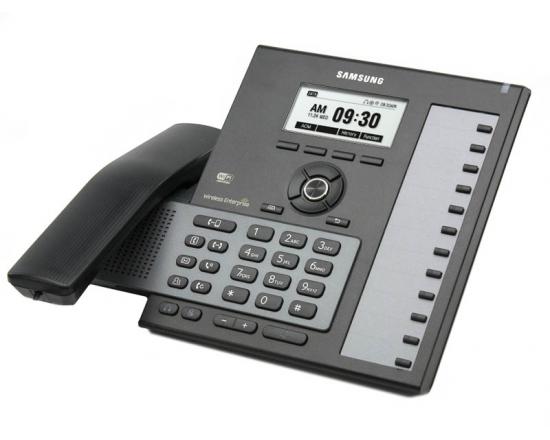
Changing the Day and Night Greeting on Samsung Voicemails (SVMi)

Posted on

These are instructions on changing the Day and Night greeting for a Samsung Officeserv phone system that uses a Samsung SVMi voicemail. These instructions will work on most OfficeServ 7100 phone systems, OfficeServ 7200 and7400 phone systems, OfficeServ/iDCS 100 and OfficeServ/iDCS 500 phone systems.

First log into the Admin Mailbox

  1. Press the VOICEMAIL button.
  2. You should hear “Enter Passcode”
  3. Press “*” (asterisk) and you should hear the main greeting “Thanks for calling…”.
  4. Press “#0000” to access the system administrator mailbox and you should hear “Enter the passcode”.
  5. The default passcode is 0000 (NOTE: it is possible to change this passcode so if 0000 does not work contact the company that installed your phone system).

You should hear “Welcome to the system administrator main menu, for system prompts press 1”.

Find the greeting you want to record

  1. Press “1” and you should here “Enter the prompt number”.
  2. Dial 1001 for the DAY prompt or dial 1002 for the NIGHT prompt.
  3. Press 1 to listen to the existing prompt.
  4. To re-record the prompt press 3.
  5. When done press the # key to end recording.

TEST your new recording.

NEC DS1000 and DS2000 Technical Support

Posted on

Our experienced technicians can troubleshoot, repair and fine tune your NEC DS1000 and DS2000  telephone system programming.   Most telephone system programming issues can be resolved by our technicians walking you through the programming steps over the telephone.  We also offer remote programming via a web meeting.

Things you should know:

  • A detailed description of the problem.  Note any error messages that show on the phone display.
  • For remote programming we will need a computer with a serial port and the NEC DS1000 or DS2000 programming cable.  Most new laptop computers do not have serial cables so you will need a USB to serial connector.

Technical support rates are $80.00 per hour.  For more information or an estimate on how long it will take to resolve your technical problem you can contact our technical support department at 866-898-2303 opt 2.

Samsung Telephone System Technical Support

Posted on

Our experienced technicians can troubleshoot, repair and fine tune your Samsung telephone system programming. Most telephone system programming issues can be resolved by our technicians walking you through the programming steps over the telephone.  We also offer remote programming via a webmeeting.   If you are having a problem with the voice mail on your Samsung telephone system we may require that you connect a computer to the voice mail system.

Things you should know:

  • The model of your Samsung telephone system. The model can be found by looking at the phone system main cabinet (usually located in an electrical closet or phone room).  Typical models are Prostar 816, 824, 56ex, DCSC (DCS Compact), DCS, 50si, iDCS 100,  iDCS 500, iDCS 16, OfficeServ 100, OfficeServ 500, OfficeServ 7100, OfficeServ 7200, OfficeServ 7400.
  • A detailed description of the problem.  Note any error messages that show on the phone display.
  • For voice mail issues you may need a computer with a serial cable near the telephone system.  Most new laptop computers do not have DB9 ComPort so you will need a USB to serial connector.

Technical support rates are $80.00 per hour.  For more information or an estimate on how long it will take to resolve your technical problem you can contact our technical support department at 866-898-2303 opt 2.